About Remote for LG TVs
❓ Regularly you want to watch TV but don't know where the conventional remote is and make you feel tired of searching. So the question is, how do you watch TV right away without using that conventional remote? 🔥 The...
❓ Regularly you want to watch TV but don't know where the conventional remote is and make you feel tired of searching. So the question is, how do you watch TV right away without using that conventional remote?
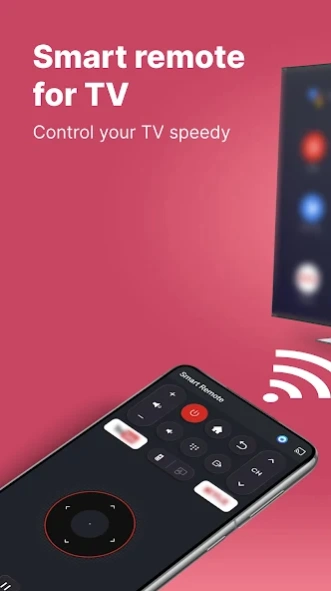
🔥 The problem seemed difficult but very easy, you just need to pick up your Android smartphone and upload the Remote Control for LG app to the device to be able to control your TV. Remote control connects LG TV with the same wifi network. The smart remote for LG allows you to turn off the TV, adjust volume up/down, or switch channels by entering channel number or switching channel up/down. Installing a TV remote control for LG on your device is also in case you forget it or lose it carelessly. And now you can watch your favorite shows with the remote control for LG.
👉 The problem is resolved, immediately download this TV Remote Control for LG app to experience the best features:
🎯
Features of Remote Control for LG TV:
✅ Switch channels by entering numbers or switching channels up/down.
✅ Adjust the volume up or down.
✅ Customize up, down, right, left.
✅ Exit and back feature.
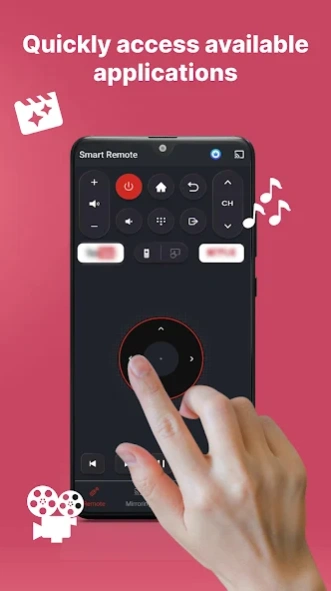
✅ Quickly access available channels
✅ Touchpad on smartphone enables you to navigate your TV effortlessly
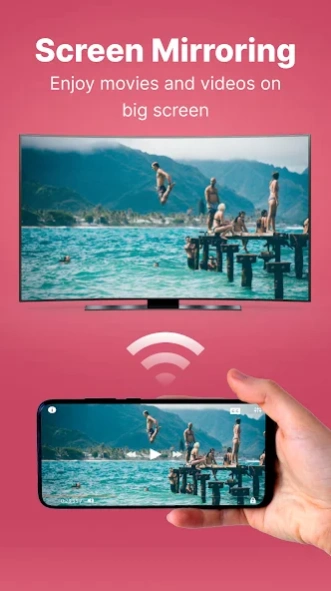
✅ Screen mirroring
✅ Allow you to cast images, video, audio to TV
👉 With these convenient and useful features, don't hesitate to download LG TV Remote Control app.
Cast to TV
Not only can this remote for LG TV help you to control your TV easily, but also it allows you to cast all photos, videos, audio.
How to connect?
1. Make sure your TV and your phone connect to the same wifi network
2. Enable miracast display on your TV
3. Choose your TV to connect and done!
☎️ Feedback for Remote Control for LG TV:
Your comments after experiencing the Smart Remote for LG TV app are very important to us. Those are precious comments, the motivation for us to do our best to bring the best Remote Control versions for LG TVs.
💯 We are always delighted to receive your suggestions for improving our Remote TV for LG app, please contact us at
duonghuynh0240@gmail.com . If you like this app, please let us know by leaving positive feedback.
✅ Thank you for using Remote for LG TV - Smart Remote for LG TV app!
⚠️ This app only allows turning off the TV; turning on the TV is not supported (When turning off the TV, the wifi network connection with the TV is disconnected).
Disclaimer:
We are not an affiliated entity of LG, and "Remote for LG TVs" application is not an official product of LG.
Previous Versions
Here you can find the changelog of Remote for LG TVs since it was posted on our website on 2023-06-19 11:19:25.
The latest version is 3.7.8 and it was updated on 2026-10-08 10:59:52. See below the changes in each version.
Remote for LG TVs version 3.7.7
Updated At: 2024-08-12
Changes: - Fix bug
- Overall performance improved
Disclaimer
Official Google Play Link
We do not host Remote for LG TVs on our servers. We did not scan it for viruses, adware, spyware or other type of malware. This app is hosted by Google and passed their terms and conditions to be listed there. We recommend caution when installing it.
The Google Play link for Remote for LG TVs is provided to you by apps112.com without any warranties, representations or guarantees of any kind, so access it at your own risk.
If you have questions regarding this particular app contact the publisher directly. For questions about the functionalities of apps112.com contact us.